
Introduction

At a glance: - Ghost automatically handles technical SEO foundations such as the sitemap and social tags. Visibility depends mainly on your editorial strategy and third-party SEO tools.
Ghost performs well for SEO: the platform automatically handles most technical foundations — sitemaps, canonical tags, JSON-LD structured data, and Open Graph — but your visibility will depend above all on your editorial strategy and third-party tools. That is our operational verdict from the outset, because too many Ghost creators spend weeks looking for settings that do not exist or overlooking the ones that really matter.
Ghost automatically generates the sitemap and references it in robots.txt; every publication or deletion updates the file in real time, available at /sitemap.xml. Schema.org structured data (Article, WebPage, Person) and social tags (Open Graph, Twitter Cards) are produced without configuration. What Ghost does not do: keyword research, content scoring, or broken link detection. Those gaps require external tools.
Three actions to take now:
- Open
/sitemap.xmlin your browser and check that your main pages are listed. - Connect your property in Google Search Console and submit the sitemap.
- Test a members-only page in a private browsing window: if the content is completely hidden, Google cannot index it.
Table of contents
- Priority checklist: 9 SEO settings to check in Ghost
- What Ghost handles for you technically
- Editorial best practices in Ghost for better rankings
- How to connect Ghost to Search Console and GA4
- Ghost themes, performance, and Core Web Vitals
- Which external tools should you use with Ghost?
- Indicative timelines and budgets for a Ghost site in France
- Common problems and quick diagnosis
- Key takeaways
- What operational experience with Ghost really reveals
- Pharelia supports your Ghost site, from audit to publication
- Frequently asked questions
Priority checklist: 9 SEO settings to check in Ghost
These actions are ranked by decreasing impact, with the exact path in Ghost's administration interface and an estimated time requirement.
1. Check the sitemap and connect Search Console (high priority — 30 minutes) Open /sitemap.xml, confirm your URLs are present, then add your property in Google Search Console using the HTML tag (Settings → General → Code injection → Site Header). Then submit the sitemap from Search Console's “Sitemaps” tab.
2. Configure meta titles and meta descriptions (high priority — 1 to 2 hours) For each article, open the “Meta data” panel in the Ghost editor (gear icon → Meta data). Write a title of 50 to 60 characters and a description of 140 to 160 characters, both aligned with search intent.
Pro tip: In the Ghost editor, the excerpt serves as the default meta description if you leave the Meta data field empty. Write it as a search result hook: a concrete promise in one sentence, no longer than 155 characters.
3. Validate HTTPS and the public URL (high priority — 15 minutes) Ghost(Pro) provides HTTPS natively. On a self-hosted installation, check that url in config.production.json points to your public HTTPS address; a misconfigured URL generates canonical tags and a sitemap with the wrong protocol, breaking indexing.
4. Check canonical tags (high priority — 20 minutes) Ghost generates canonicals automatically. Check them through “URL Inspection” in Search Console or by viewing a page's source (<link rel="canonical">). If you have duplicate pages, use the custom canonical field in the Meta data panel.
5. Configure redirects (medium priority — 1 hour) Go to Settings → Labs → Redirects to import a JSON file of 301 redirects. Essential after any change to slugs or URL structure.
6. Add descriptions to tag pages (medium priority — 1 hour) In Ghost, each tag has an archive page. Add a unique description (Settings → Tags → edit the tag) or apply noindex to sparsely populated tags through Code injection to avoid thin content.
7. Install GA4 through Code injection (medium priority — 30 minutes) Paste the GA4 snippet into Settings → Code injection → Site Header. In France, follow the CNIL's consent recommendations before activating tracking.
8. Test structured data (medium priority — 20 minutes) Use Google's Rich Results Test on your main pages to confirm that Article and WebPage schemas are valid.
9. Audit Core Web Vitals (low priority — 2 to 4 hours) Check the Core Web Vitals report in Search Console and run a Lighthouse audit on your key pages. Ghost provides a fast foundation, but a poorly optimized theme can worsen LCP (Largest Contentful Paint) and CLS (Cumulative Layout Shift).
What Ghost handles for you technically
Ghost takes care of a range of technical SEO foundations without requiring your intervention, providing a real advantage over CMS platforms that need an extension for every feature.

Sitemap and robots.txt
The sitemap is generated and maintained automatically at /sitemap.xml, with a native reference in robots.txt. Every addition, change, or deletion of content updates the file in real time. Ghost divides the sitemap by content type (posts, pages, tags, authors), making targeted submissions in Search Console easier.
Structured data and social tags
Ghost includes Schema.org-compliant JSON-LD structured data by default: Article schema with author, publisher, datePublished, and image for articles; WebPage and CollectionPage for pages and archives. Open Graph and Twitter Cards tags are generated automatically from each piece of content's title, description, and cover image. These elements directly feed previews in search results and on social media.
Canonical tags and redirect management
Ghost generates a <link rel="canonical"> tag on every page, pointing by default to the content's canonical URL. You can override it manually in the editor's Meta data panel, useful for syndicated content or pages with URL parameters. Redirect management (Settings → Labs → Redirects) accepts a structured JSON file for 301 and 302 redirects.
Native limitations to know
Ghost has no native tools for keyword research, broken link analysis, or content optimization scoring. Ghost's built-in analytics provides basic metrics (page views, sources), but does not replace GA4 for conversion and user journey tracking. External tools fill these gaps, as detailed below.
Editorial best practices in Ghost for better rankings
Technical work alone is not enough. Editorial discipline delivers more results than fine-tuning every setting: a consistent publishing schedule, updates to existing content, and coherent internal linking.
Meta titles and descriptions focused on CTR
In each article's Meta data panel, write a title that includes the main keyword within the first 50 characters and a description that makes a concrete promise. Avoid generic phrasing such as “Everything you need to know about X”; prefer “How to do X in 3 steps (with examples)”. Click-through rate in search results indirectly influences rankings.
Content structure and member previews
For freely accessible articles, use H2 and H3 headings that reflect your readers' questions. For members-only content, fully protected content is invisible to Google: the crawler sees only what is rendered server-side before the paywall. The recommended strategy is to expose 2 to 3 paragraphs as an indexable preview, then trigger the paywall. This preserves SEO appeal while demonstrating the subscription's value.
Internal linking
Structured internal linking relies on two principles in Ghost: pillar pages (long, comprehensive content on a topic) linked to by supporting articles, and contextual links inserted into the body text through the Ghost editor (select the text → link icon → paste the internal URL). Aim for 2 to 4 internal links per article, to thematically related content.
- Identify your 5 to 10 pillar pages and list them in a reference document.
- With every new publication, check whether a link to an existing pillar page is relevant.
- Audit orphan pages (with no incoming links) quarterly using Screaming Frog.
Tag management and content updates
Limit tags per article to 3 or 4, and write a unique description for every tag page that generates traffic. For sparsely populated tags (fewer than 5 articles), apply noindex through Code injection to avoid thin content pages.
Pro tip: To refresh an existing article, keep the original URL (do not change the slug), update the content, change the publication date in the article settings, then republish. Ghost automatically updates `dateModified` in the JSON-LD schema, signaling freshness to Google crawlers.
How to connect Ghost to Search Console and GA4
Google Search Console: step-by-step procedure
- Create a “URL prefix” property in Search Console with your HTTPS domain.
- Choose the “HTML tag” verification method and copy the
<meta name="google-site-verification" ...>tag. - Paste it into Ghost → Settings → Code injection → Site Header, then save.
- Return to Search Console and click “Verify”.
- Submit your sitemap (
/sitemap.xml) from the “Sitemaps” tab.
After verification, monitor the “Coverage” report (indexed pages, excluded pages, errors) and the “Core Web Vitals” report over the 4 to 6 weeks following submission.
GA4 and consent in France
Paste the GA4 tag snippet into Settings → Code injection → Site Header. In France, the CNIL requires an explicit consent mechanism before analytics cookies are set. Use a consent management platform (CMP) compatible with the CNIL's recommendations and configure GA4 in cookieless mode for visitors who decline.
Post-integration checks
After connecting, complete these four checks within 48 hours:
- Sitemap submitted: confirm that Search Console displays the number of discovered URLs.
- Crawl errors: check for 404 errors or
robots.txtblocks in the Coverage report. - Excluded pages: identify pages excluded deliberately (noindex) and those excluded by mistake.
- Mobile coverage: check the “Mobile Usability” report for display problems.
For more on configuring SEO tracking with Search Console and GA4, a detailed checklist covers how to interpret the key metrics.
Ghost themes, performance, and Core Web Vitals
Choose a theme built for performance
A well-designed Ghost theme loads few external scripts, uses correct semantic HTML (article, header, nav, main tags), and optimizes images natively. Before adopting a theme, check:
- The number of HTTP requests on load (ideally below 50).
- The absence of unnecessary, large JavaScript libraries.
- The presence of the
loading="lazy"attribute on images. - The use of
font-display: swapfor web fonts, to avoid blocking rendering.
Tests to run
Standard practices recommend auditing Core Web Vitals with three complementary tools: Lighthouse (a local audit in Chrome DevTools), Search Console's Core Web Vitals report (real field data), and WebPageTest for tests from specific geographic locations. Aim for good performance on LCP, INP, and CLS.
Ghost(Pro) vs. self-hosting
Ghost(Pro) includes a CDN, automatic SSL configuration, and optimized cache headers, contributing to better overall performance. On a self-hosted installation, configuring the Nginx or Caddy reverse proxy is a frequent source of errors: make sure the Host header is forwarded correctly (proxy_set_header Host $http_host) so Ghost generates URLs based on your public domain rather than the server's internal hostname.
Which external tools should you use with Ghost?
Ghost covers the foundations; third-party tools cover strategy and auditing. The following table shows each tool's role and indicative price ranges for the French market.
| Tool | Main role | Tier | Indicative price |
|---|---|---|---|
| Google Search Console | Indexing, coverage, Core Web Vitals, rankings | Free | — |
| Google Keyword Planner | Keyword research (volumes, CPC) | Free | — |
| Screaming Frog SEO Spider | Crawling, broken links, technical audit | Free / paid | — / ~230 €/year |
| Ahrefs | Keyword research, backlinks, rank tracking | Paid | — |
| Semrush | Keyword research, site audit, competitors | Paid | From ~140 €/month |
| Google Rich Results Test | Structured data validation | Free | — |
| Lighthouse (Chrome DevTools) | Performance and accessibility audit | Free | — |
For a modest Ghost blog (fewer than 200 pages), Search Console + Screaming Frog (free version) + Google Keyword Planner covers the essentials at no cost. Ahrefs or Semrush becomes worthwhile when you target competitive keywords or manage a content catalog of more than 100 articles.
After a Screaming Frog audit, apply fixes directly in Ghost: metadata updates through the Meta data panel, 301 redirects through Settings → Labs → Redirects, and template changes through Code injection or the theme. Quick fixes — metadata, sitemap, Search Console, and small Core Web Vitals adjustments — often offer the best returns before major editorial work begins.
Recommended audit frequency: a quarterly Screaming Frog crawl to detect broken links and pages without meta descriptions, and an Ahrefs or Semrush audit every six months to reassess keyword opportunities and changes in your link profile.
Indicative timelines and budgets for a Ghost site in France
The table below presents a realistic progression for a French small business or SME starting with an existing Ghost site without SEO optimization.
| Timeframe | Main tasks | Cost range (agency) | Cost range (freelancer) |
|---|---|---|---|
| 30 days | Technical audit, metadata fixes, sitemap, Search Console, GA4 | 500 – 1 500 € | 300 € |
| 90 days | Keyword research, editorial optimization, internal linking, tracking | 1 500 € | 800 € |
| 6 to 12 months | Regular content production, link building, monitoring, monthly reporting | 500 – 3 000 €/month | 400 – 1 500 €/month |
These ranges exclude tax and vary with page volume, sector competitiveness, and the desired level of automation. A monthly agency package in France generally costs between 500 and 3 000 € for a complete service (audit, writing, optimization, reporting). An SEO freelancer generally charges per project or by the day.
The choice between agency and freelancer depends less on budget than on scope: if you need daily content production, structured analytics tracking, and generative search engine optimization (GEO/AEO), an agency with dedicated resources is more suitable. For one-off corrections or a single audit, a Ghost specialist freelancer is enough.
Decision tip: invest in quick wins first (metadata, sitemap, Search Console) before major editorial projects. A structured SEO audit helps prioritize these actions and avoid spending on low-impact optimizations.
Common problems and quick diagnosis
Page not indexed
Test: use “URL Inspection” in Search Console or type site:votredomaine.com/votre-page into Google. Fix: check that the page is not set to noindex (Code injection or article setting), that it appears in the sitemap, and that robots.txt does not block crawling.
Incorrect canonical tag
On a self-hosted installation, a misconfigured URL in config.production.json generates canonicals with the wrong protocol, breaking indexing. Check the url property in the configuration file and make sure it exactly matches your public HTTPS address.
Member content not indexed
Content fully protected by Ghost's paywall is invisible to crawlers at server level. If you want these pages to appear in search results, expose 2 to 3 paragraphs as a preview before triggering the paywall. Always test in a private browsing window to see what Google actually sees.
Slug change
Changing an article's slug without creating a redirect generates a 404 error and loses accumulated link equity. Procedure: note the old URL, change the slug in the editor, then add a 301 redirect rule in Settings → Labs → Redirects. Then update internal links pointing to the old URL and check in Search Console that the 404 error disappears within 48 to 72 hours. For redesigns involving many URL changes, the guide to preserving rankings during a redesign details the complete method.
Unoptimized images
Large images worsen LCP. Use Lighthouse to check that images are served in modern formats (WebP, AVIF) and that offscreen images have the loading="lazy" attribute. Ghost(Pro) automatically optimizes uploaded images; on a self-hosted installation, this optimization depends on your server configuration.
Official resources and recommended reading
For further reading or to check a specific implementation, these are the reference sources:
- [Official Ghost SEO documentation](https://ghost.org/help/seo/): covers sitemaps, canonical tags, structured data, and basic settings. The essential starting point before any other tool.
- [Advanced Ghost SEO guide](https://ghost.org/resources/advancing-your-seo/): covers editorial strategies, member content management, and GA4 integration. Useful once the foundations are in place.
- [Google Search Console](https://search.google.com/search-console): the reference tool for monitoring indexing, crawl errors, and organic performance.
- [Rich Results Test](https://search.google.com/test/rich-results): validates the JSON-LD structured data generated by Ghost and identifies schema errors.
Key takeaways
Ghost automatically covers technical SEO foundations, but long-term visibility depends on editorial strategy, third-party tools, and regular performance monitoring.
| Point | Details |
|---|---|
| Automatic technical foundations | Ghost manages sitemaps, canonicals, JSON-LD, and Open Graph without manual configuration. |
| Gaps to fill | Keyword research, content scoring, and broken link detection require Ahrefs, Semrush, or Screaming Frog. |
| Protected content and indexing | A complete paywall blocks crawlers; expose 2 to 3 paragraphs as a preview to preserve indexability. |
| Priority quick wins | Metadata, a sitemap submitted to Search Console, and Core Web Vitals fixes offer the best return before editorial projects. |
| Pharelia on Ghost | Pharelia publishes and optimizes directly in Ghost: a free audit, technical fixes, content production, and GA4/Search Console tracking included. |
30-day plan: check the sitemap, connect Search Console, write meta titles and descriptions for the 10 priority pages, install GA4, and audit Core Web Vitals with Lighthouse.
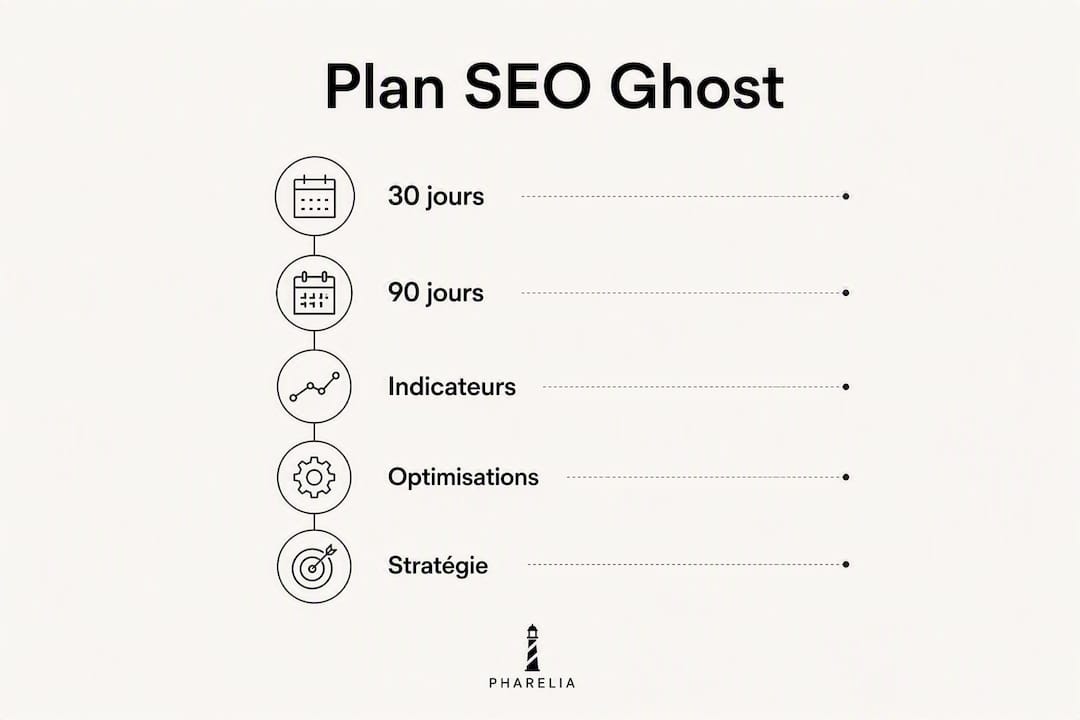
90-day plan: start keyword research with Ahrefs or Semrush, structure internal linking around 5 pillar pages, create an editorial calendar, analyze Search Console's Coverage report, and fix pages excluded by mistake.
Metrics to track: organic traffic (GA4), impressions and average positions (Search Console), click-through rate (CTR) by page, Core Web Vitals score, and number of indexed pages.
What operational experience with Ghost really reveals
Most Ghost SEO guides stop at a list of native features. What they do not tell you: the real challenge is not technical, but editorial and strategic.
Ghost is a remarkably clean platform from an SEO perspective. The foundations are there, they work, and they do not break with every update as sometimes happens with more complex CMS platforms. But this technical cleanliness creates a dangerous illusion: that the site is “ready for SEO” as soon as it is installed. It is not.
What we consistently observe on Ghost sites that stagnate: empty or generic metadata on 80 % of articles, almost no internal linking, and no strategy for updating content published more than 12 months ago. The platform cannot compensate for a lack of strategy. It amplifies what you give it.
The other blind spot is member content. Many Ghost publishers build their business around subscriptions, which is legitimate, but fully protect their best articles. The result: their most carefully crafted pages are invisible to Google. Segmentation — freely accessible articles that attract readers, high-value members-only content with an indexable preview — is the only approach that reconciles organic growth with subscription monetization.
On the sites we support, the quickest gains rarely come from further technical optimization. They come from a consistent publishing schedule and structured updates to existing content. An article updated with new data and republished often generates more incremental traffic than a new article on a related subject.
If your Ghost site has been running for more than 6 months without measurable organic growth, the question is probably not “which technical settings am I missing?” but “am I publishing enough, and am I targeting the right topics?”. A visibility audit answers that question in a few days.
Pharelia supports your Ghost site, from audit to publication
Managing a Ghost site's SEO alongside your main business often means optimizations remain on the waiting list for months. Pharelia handles the whole process: a free technical audit to identify indexing barriers and immediate opportunities, metadata and structural corrections, optimized content produced and published directly in Ghost, and monthly tracking through Search Console and GA4.
The service also covers generative search engine optimization (GEO/AEO): ChatGPT, Perplexity, Gemini, and AI Overviews rely on pages well indexed by Google. A properly structured Ghost site regularly supplied with authoritative content is an asset that works across several discovery channels at once. To explore resources on AI search visibility and understand how Ghost fits into a complete visibility strategy, documentation is available online. To start with a free audit of your Ghost site, contact Pharelia directly through pharelia.com. No ranking guarantee is offered; results depend on your sector, competition, and the amount of work undertaken.
Frequently asked questions
Is Ghost good for organic search visibility?
Yes: Ghost automatically handles the technical foundations (sitemap, canonicals, JSON-LD, Open Graph), making it a solid base for SEO. Visibility then depends on editorial strategy and third-party tools for keyword research and auditing.
What are the 3 main types of SEO?
SEO has three areas: technical SEO (indexing, speed, structured data), on-page SEO (content, metadata, internal linking), and off-page SEO (link building, domain authority). Ghost covers much of the first area natively.
How much does SEO cost in France?
For a Ghost site, budget between 300 and 1 500 € for an audit and quick fixes, and between 500 and 3 000 € per month for comprehensive monthly support (agency). An SEO freelancer generally charges between 400 and 1 500 € per month, depending on scope.
How can I check that Google has indexed my Ghost site correctly?
Type site:votredomaine.com into Google to see indexed pages, then use “URL Inspection” in Google Search Console to check indexing status page by page and identify possible barriers.
Does Ghost need an SEO plugin like WordPress?
No. Ghost natively includes features covered by SEO extensions on other CMS platforms: automatic sitemaps, structured data, and canonical and social tags. External tools such as Ahrefs or Screaming Frog remain necessary for keyword research and link auditing.