
Introduction

In brief: - In 2026, migrating to tools such as Power BI, Tableau, or Metabase meets complex needs better than Looker Studio. Preparing data through ETL/ELT pipelines is essential to avoid reproducing the same problems on any new platform. A gradual migration approach helps maintain reporting continuity and effectiveness.
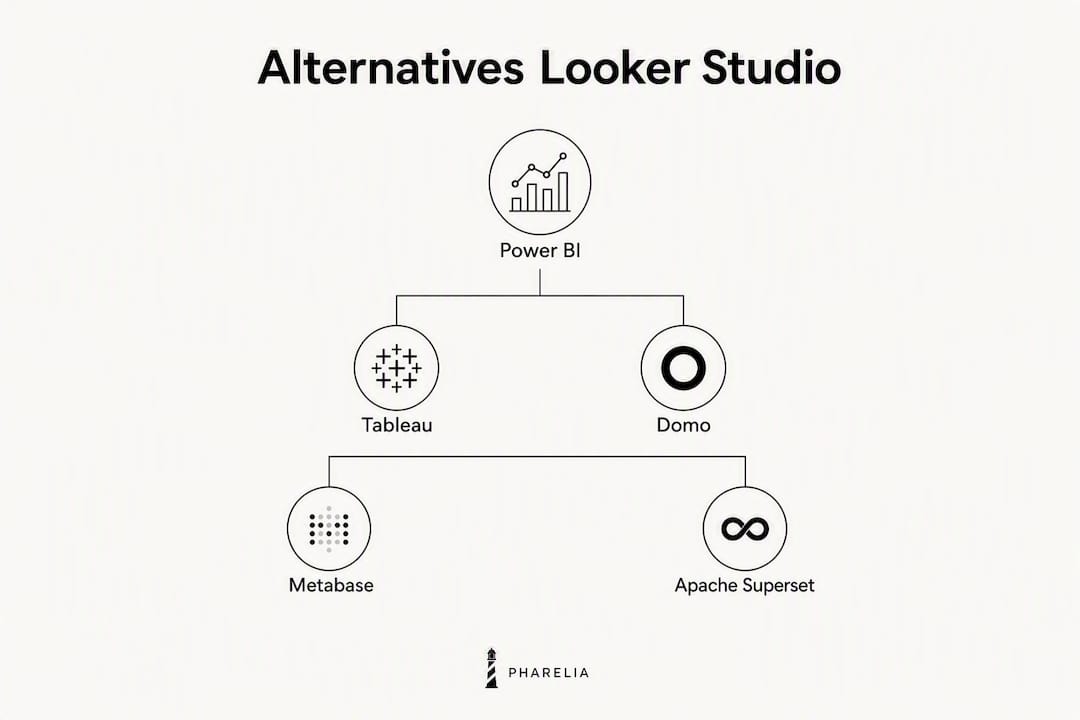
For teams needing to go beyond Google's ecosystem, the most relevant Looker Studio alternatives in 2026 are Microsoft Power BI, Tableau, Metabase, Apache Superset, and Klipfolio. Each tool suits a distinct organizational profile: the choice depends less on features than on technical context, the actual budget, and the capacity for internal adoption.
TL;DR — which tool to choose for your needs:
- Multi-account marketing reporting, fast deployment: Klipfolio or Domo
- Microsoft integration (Azure, Excel, Dynamics): Microsoft Power BI
- Advanced analysis, large volumes, structured data team: Tableau
- Self-hosting, open source, full control: Metabase or Apache Superset
- Open-ended data exploration, associative engine: Qlik Sense
| Tool | Best for | Free offering | Deployment |
|---|---|---|---|
| Microsoft Power BI | Microsoft organizations | Yes (Desktop) | Cloud / on-premise |
| Tableau | Advanced data teams | Yes (Public) | Cloud / on-premise |
| Domo | All-in-one mid-market platform | No (trial) | Cloud |
| Metabase | Cost-effective self-hosting | Yes (open source) | Cloud / self-hosted |
| Apache Superset | Scalable open-source stack | Yes (open source) | Self-hosted |
| Qlik Sense | Associative exploration | No (trial) | Cloud / on-premise |
| Klipfolio | SMEs, marketing KPIs | Yes (limited) | Cloud |
Table of contents
- Why teams leave or complement Looker Studio in 2026
- Which alternative should you choose for your organizational profile?
- Detailed profiles: strengths, limitations, and practical use cases
- How do you choose the right alternative for your organization?
- When should you replace Looker Studio, and how can you migrate safely?
- Key points
- What we observe among our clients in France
- Pharelia helps you select and migrate your reporting tool
- Useful sources and further reading
- Frequently asked questions
Why teams leave or complement Looker Studio in 2026
Looker Studio remains the reference for reports centered on Google's ecosystem: free native connections to GA4, Google Ads, and Search Console, a quick learning process, and frictionless sharing. Looker Studio Pro adds a team workspace and governance features for around USD 9 per user, per project, per month. For teams whose data remains mainly Google-centric, the tool covers most needs without additional licensing costs.
Limitations emerge as the scope expands. The most common friction points are:
- Poor performance on large datasets or reports aggregating several sources at once
- Paid non-Google connectors: third-party sources (Salesforce, HubSpot, Shopify) use separately billed partners, increasing the actual cost
- Limited modeling: no native semantic layer, no direct SQL transformations in the tool, and complex calculations that are difficult to maintain
- Insufficient governance for organizations subject to GDPR with granular access-control requirements
- Multi-account advertising reporting: consolidating several Google Ads or Meta Ads accounts into one dashboard remains laborious without a dedicated pipeline
The actual problem is often not the visualization tool itself, but the absence of a structured upstream data pipeline. Changing tools without addressing data preparation (ETL/ELT) reproduces the same problems on another platform.
Pro tip: Before evaluating alternatives, map your data sources and identify where transformations take place. If data arrives raw in Looker Studio, a tool such as dbt, Fivetran, or Airbyte will solve more problems than changing visualization platforms.
Which alternative should you choose for your organizational profile?
The matrix below summarizes the key dimensions to guide the decision. Its columns reflect the criteria that carry the most weight in a real choice: use case, pricing, available connectors, modeling capability, ease of adoption, deployment, governance, white-label integration, and scaling.
| Tool | Main use case | Indicative price | Key connectors | Modeling | Learning curve | Deployment | Governance | Embedding / white label | Scalability |
|---|---|---|---|---|---|---|---|---|---|
| Microsoft Power BI | Microsoft enterprise BI | Free / user/month (Pro) | Azure, Excel, SQL, GA4 | DAX, Power Query | Medium | Cloud / on-premise | High | Yes (Premium) | High |
| Tableau | Advanced analysis | ~$15/user/month (Viewer) | SQL, BigQuery, Salesforce | Advanced calculations | High | Cloud / on-premise | High | Yes | Very high |
| Domo | All-in-one mid-market platform | On request | 1,000+ connectors | Visual DataFlows | Medium | Cloud | High | Yes | High |
| Metabase | Cost-effective self-hosting | Free (open source) / ~$500/month (Cloud) | SQL, BigQuery, Snowflake | Native SQL | Low to medium | Cloud / self-hosted | Medium | Yes (Enterprise) | Medium |
| Apache Superset | Scalable open source | Free (open source) | SQL, Druid, BigQuery | SQL, Jinja | High (technical) | Self-hosted | Medium | Yes | High |
| Qlik Sense | Associative exploration | On request | SQL, cloud sources | Associative engine | Medium | Cloud / on-premise | High | Yes | High |
| Klipfolio | SME marketing KPIs | Free (limited) / $500/month | GA4, Google Ads, HubSpot | Low | Low | Cloud | Low | Limited | Low to medium |
Quick selection rules:
- If your stack is Microsoft (Azure, Dynamics, Teams): Power BI is the clear choice; its DAX layer and native Excel integration reduce adoption time.
- If you have a dedicated data team and large volumes: Tableau or Qlik Sense, depending on whether you prioritize analytical depth or open-ended exploration.
- If you want to avoid licensing costs: Metabase (an accessible interface) or Apache Superset (maximum flexibility, but DevOps skills required).
- If you are an SME or marketing agency: Klipfolio or Domo for quick setup and prebuilt marketing connectors.
- If white-label integration is a criterion: Power BI Premium, Tableau Embedded, or Metabase Enterprise.
Detailed profiles: strengths, limitations, and practical use cases
Microsoft Power BI
Power BI is the natural Looker Studio equivalent for organizations standardized on Microsoft. The DAX modeling layer supports calculations Looker Studio cannot reproduce natively, and integration with Azure Data Factory or Azure Synapse facilitates complex data pipelines. Desktop is free; Pro offers advanced governance and sharing features at a monthly per-user cost. The learning curve is steeper than Looker Studio's, particularly for DAX and Power Query. Note that Viewer licenses can quickly become a significant cost in large organizations.

Strengths: powerful DAX modeling, native Azure/Excel/Teams integration, enterprise governance and security, and a large French-speaking community. Limitations: the DAX learning curve, Viewer costs at volume, and dependence on Microsoft's ecosystem.
Tableau
Tableau excels where Looker Studio reaches its limits: large data volumes, complex analytical calculations, and custom visualizations. The platform offers a free public version (public data only) and paid plans starting at around $15 per Viewer user per month. Integration with Salesforce (its owner since 2019) strengthens its position in CRM environments. Governance and security certifications (SOC 2, ISO 27001) make it a sound choice for businesses with strict compliance requirements. However, total cost of ownership remains high as the number of creator users increases.
Strengths: advanced analytics, custom visualizations, enterprise governance, and extensive SQL and cloud connectors. Limitations: high creator pricing, lengthy onboarding, and less suitability for non-technical teams.
Domo
Domo combines visual ETL, a data warehouse, and dashboards in one cloud platform. Visual DataFlows transforms data without writing SQL, and prebuilt marketing applications (Google Ads, Meta, Salesforce) accelerate deployment. Pricing is quote-based, complicating direct comparisons, but market feedback indicates mid-market to enterprise positioning. The lack of a self-hosted option can be an obstacle for organizations with data sovereignty constraints.

Strengths: an all-in-one platform, more than 1,000 connectors, no-code DataFlows, and prebuilt apps. Limitations: opaque pricing, no self-hosting, and potentially high costs at scale.
Metabase
Metabase is the most accessible open-source solution for technical teams seeking to avoid licensing costs. The community version is free and self-hostable; the Cloud version starts at around $500 per month for advanced features. Its SQL-friendly interface lets analysts query Postgres, MySQL, BigQuery, or Snowflake directly, while non-technical users can build visual questions without writing a line of code. Governance remains limited in the open-source version, and white-label integration features require Enterprise.
Strengths: open source, self-hosting, an accessible interface, direct SQL connectors, and controlled costs. Limitations: basic governance (free version), advanced features reserved for Enterprise, and required DevOps maintenance.
Apache Superset
Apache Superset is the open-source reference for organizations wanting complete control over their analytics stack and no proprietary lock-in. The platform supports SQL and Jinja templates and integrates with Druid, BigQuery, Snowflake, and most cloud warehouses. Its scalability is real, but deployment and maintenance require strong DevOps skills. Superset is unsuitable for teams without internal technical resources; for a data-mature organization wanting a custom analytics environment, however, it is the most flexible option on the market.
Strengths: maximum flexibility, open source, scalability on cloud warehouses, and no licensing costs. Limitations: complex deployment, continuous maintenance, a steep learning curve, and community support only.
Qlik Sense
Qlik Sense's associative engine is its main differentiator: unlike tools based on linear SQL queries, it lets users navigate freely between dataset dimensions without predefining joins. This speeds ad hoc exploration and reduces dependence on data teams for every new analytical question. Pricing is quote-based, with cloud and on-premise options. Security certifications (SOC 2, ISO 27001) and governance features make it a credible choice for regulated environments.
Strengths: a unique associative engine, open-ended exploration, enterprise governance, and flexible deployment. Limitations: opaque pricing, a learning curve for non-analytical users, and high costs at large scale.
Klipfolio
Klipfolio is designed for SMEs and marketing teams that want operational KPI dashboards without heavy technical investment. Native integrations with GA4, Google Ads, HubSpot, Shopify, and around a hundred other marketing sources allow an initial dashboard to be deployed in hours. Scalability and modeling capabilities remain limited, making it a reporting solution rather than BI in the strict sense. For an agency or SME tracking standard marketing metrics, it often offers the market's most favorable balance of quality and deployment effort.
Strengths: fast deployment, prebuilt marketing connectors, an accessible KPI interface, and affordable plans. Limitations: weak modeling, limited scalability, and unsuitability for complex analysis or high-volume multi-source data.
How do you choose the right alternative for your organization?
Before launching a request for proposals or a POC, answer these questions in order:
- What are your data sources? List every source (CRM, ERP, SQL databases, advertising platforms, SEO tools) and check whether the target tool has a native connector or requires an ETL intermediary.
- What data volume do you expect? Tools such as Klipfolio or Looker Studio show their limitations beyond a few million rows per report; Tableau, Power BI, and Superset are built for much larger volumes.
- Who are the users? Distinguish report creators (analysts, data engineers) from viewers (managers, clients). Role-based pricing can multiply costs by three or four, depending on the platform.
- What are your security and compliance requirements? For GDPR-regulated organizations handling sensitive data, check server locations, certifications (SOC 2, ISO 27001, HDS), and on-premise deployment options.
- Do you need white-label integration or embedding? If you deliver reports to external clients under your brand, filter for solutions offering this option from the outset (Power BI Premium, Tableau Embedded, Metabase Enterprise).
- What internal technical capacity do you have? Apache Superset or self-hosted Metabase requires a team capable of managing infrastructure. If this resource does not exist, a managed cloud solution is more realistic.
Questions to ask during an RFP or POC:
- Which connectors are native, and which are paid third-party connectors?
- What is the availability SLA and the support response time in an incident?
- How are updates and connector compatibility managed?
- Can you provide client references in our sector or of comparable size?
- What is the roadmap for governance and AI features over the next 12 months?
On budget, hidden costs often make up the largest share of the total. Beyond licenses, allow for third-party connectors (sometimes €50 to €200 per source per month), engineering time to migrate existing reports, user training, and ongoing pipeline maintenance. An initial budget equivalent to several months of licenses for the complete setup is a cautious but realistic estimate.
When should you replace Looker Studio, and how can you migrate safely?
Indicators that signal a need for action
Four concrete signals justify moving beyond Looker Studio:
- Reports regularly take more than 30 seconds to load
- You maintain more than 20 paid third-party connectors whose combined cost exceeds a BI license
- Governance requirements (audit trails, row-level access control, sector certifications) cannot be met
- Your team spends more time fixing broken pipelines than producing analysis
A staged migration approach
- Audit existing sources and reports: inventory every active dashboard, its sources, usage frequency, and owners. Eliminate obsolete reports before migrating.
- A limited 4-week POC: migrate a single dashboard (3 KPIs + 1 multi-account report) to the target platform. Measure latency, setup time, and end-user adoption before deciding on a full cutover.
- Structure the upstream ETL/ELT pipeline: tools such as Fivetran, Airbyte, or dbt move transformations into a warehouse (BigQuery, Snowflake, Redshift) before connecting the visualization tool. Successful migrations separate this work first, because it reduces most connector and performance friction.
- Load testing and validation: simulate actual data volumes and concurrent user counts before production deployment.
- Training and governance: define roles (creators, editors, viewers), document naming conventions, and schedule training before launch.
Migration checklist:
- Back up all existing reports and views
- Inventory users and their access rights
- Validate connectors in the target environment
- Create an end-user communication plan
- Keep both tools running together (4 to 8 weeks recommended)
Pro tip: Resist the temptation to migrate every report at once. Start with the most critical and stable dashboards; rarely used reports can remain in Looker Studio during the transition at no extra cost.
A B2B marketing team managing around ten advertising accounts typically benefits from starting the POC with its multi-account consolidation report, because this is precisely where Looker Studio's limitations are most visible and the new platform's gains can be demonstrated most clearly in 4 weeks.
Key points
The best Looker Studio alternatives in 2026 are Power BI for Microsoft environments, Tableau for advanced analysis, Metabase and Apache Superset for open source, and Klipfolio for marketing SMEs.
| Point | Details |
|---|---|
| Choose according to the ecosystem | Power BI for Microsoft, Tableau for large data teams, Klipfolio for marketing SMEs. |
| Hidden costs to anticipate | Third-party connectors, Viewer licenses, and migration engineering: allow several months of licenses for setup. |
| Viable open source | Metabase (accessible) and Apache Superset (scalable) offer an alternative without licensing costs, but require DevOps resources. |
| POC before cutover | Migrating one dashboard over 4 weeks validates latency, adoption, and actual costs before any commitment. |
| Pharelia | Pharelia supports decision-makers with auditing, tool selection, and integration into SEO/GEO/AEO reporting, from Paris and Lille. |
What we observe among our clients in France
The debate over “Looker Studio or something else” often hides a more fundamental question: is the organization ready to maintain a BI tool? The main reason a replacement fails is not technical. It is organizational: no data team to maintain the model, or low adoption if the solution is too complex for business users.
What we regularly see among French SMEs and startups is that they underestimate ongoing maintenance costs and overestimate their capacity to adopt Tableau or Qlik Sense without dedicated resources. Power BI is often the best compromise for an organization already using Microsoft 365, not because it is technically superior to Tableau in every respect, but because adoption is faster when users already know Excel and Teams.
For marketing teams managing several advertising accounts, the operational priority is almost always native multi-account connectors rather than more sophisticated visualizations. Klipfolio or a solution such as Domo addresses this need more directly than Tableau, whose analytical depth remains underused in this context.
The underlying trend in 2026 is the emergence of “ask-your-data” workflows: AI agents querying sources directly without a manually assembled dashboard. These approaches do not yet replace structured BI tools for operational reporting, but reduce the need for static dashboards to answer ad hoc questions. Organizations building their data pipelines today with well-structured warehouses will be best positioned to benefit from these new workflows.
Pharelia helps you select and migrate your reporting tool
Choosing between Power BI, Tableau, Metabase, or Klipfolio is not simply a matter of comparing feature tables. The real question is which tool integrates with your existing measurement workflow, data sources, and internal adoption capacity without creating technical debt or hidden costs.

Pharelia supports French small businesses, SMEs, and startups with this type of decision: auditing your current analytics stack, recommending a tool for your profile, and integrating reporting into your SEO, GEO, and AEO visibility system. The visibility audit is free and based on your actual data. For teams wanting to delegate selection or migration, the Sur-mesure offering covers the full project, from source mapping to user training.
Visit Pharelia's digital strategy page to discuss your needs or talk about your migration project.
Useful sources and further reading
For a deeper evaluation or to prepare a POC, here is an annotated selection of the most useful resources:
- Top Looker Alternatives & Competitors 2026 — Gartner: verified user reviews, useful for selection and for checking feedback from actual users of each platform.
- Tableau vs Looker Studio — AgencyAnalytics: a detailed agency-focused comparison, relevant to a Tableau POC.
- Tableau vs Google Data Studio — Okun Data: an overview of hidden costs and indirect expenses, worth reading before building a budget.
- Best Looker Studio Alternatives 2026 — 1ClickReport: a marketing-reporting shortlist mentioning emerging “ask-your-data” workflows.
- SEO tracking: the practical guide for small businesses and SMEs — Pharelia: an additional resource on structuring SEO analytics tracking, useful for integrating BI reporting into a visibility measurement system.
- Measuring AI visibility in 2026 — Pharelia: a guide to tracking mentions in AI engines, useful for organizations wanting GEO/AEO data in their dashboards.
Frequently asked questions
What is the best Looker Studio alternative in 2026?
Microsoft Power BI is the reference for Microsoft environments, Tableau for advanced analysis of large volumes, and Metabase for teams wanting a self-hosted open-source solution without licensing costs.
Is Looker Studio going away?
No. Google actively maintains Looker Studio and regularly publishes release notes; the platform was renamed from Google Data Studio and continues to evolve, particularly through Looker Studio Pro.
Is there a Microsoft equivalent to Looker Studio?
Microsoft Power BI is the direct equivalent in Microsoft's ecosystem: it offers a free Desktop version, native Azure and Excel integration, and a DAX modeling layer absent from Looker Studio.
Does Looker Studio offer a free version?
Yes. The core version of Looker Studio is free with native Google connectors (GA4, Google Ads, Search Console). Looker Studio Pro adds governance and team workspace features for around USD 9 per user, per project, per month.
How can you migrate from Looker Studio to another platform without rebuilding everything?
The safest method is to start with a limited POC: migrate a single dashboard (3 KPIs + 1 multi-account report) over 4 weeks, structure the upstream ETL/ELT pipeline first, then expand the scope gradually after validating latency and user adoption.