
 Add to preferred sources on Google
 ChatGPT
 Claude
 Perplexity

Introduction
Content decay is the slow loss of organic traffic, rankings and relevance on a page that used to perform. It is not a penalty and it is not a sudden drop. The practical answer is a routine: compare page-level performance across matching periods, rule out seasonality and technical faults, then give each declining page one of five outcomes (update, consolidate, redirect, repromote or leave alone) based on its business value. Most of the work is deciding which pages deserve effort at all.
This guide is written for B2B marketing, content and SEO leaders, SaaS and services teams, and ecommerce teams who own a library of pages and need a defensible way to maintain it. Where we give an opinion, we label it as our analysis. Where a figure or claim comes from a source, it is linked.
TL;DR
- Content decay is a gradual decline, over months or years, in a page’s organic traffic and rankings. A sudden cliff points to something else: a technical fault, a migration or an algorithm change.
- Detect it by comparing two matching windows (for example the last 90 days against the same 90 days a year earlier), joining by URL and sorting by absolute clicks lost, not percentage lost.
- Never diagnose from one window. Check seasonality, indexing, canonicals, redirects and recent page edits before you call a page “decayed”.
- Treat decay as a prioritization problem. Business value and effort decide the action. Pages that still satisfy intent and generate qualified enquiries should be left alone.
- Prevention is a calendar and an owner for every page, not a one-off clean-up.
What content decay is, and what it is not
Search Engine Land’s guide describes content decay as a slow decline in organic traffic, rankings and relevance that can begin when content no longer fulfills search intent. The key word is slow. The decline usually plays out over months or years rather than as a sudden drop caused by a penalty or a major update.
That definition matters because it changes the response. A page that fell 60% in a week has a diagnosis problem, not a decay problem. A page that lost 8% a quarter for five quarters has a maintenance problem.
Three things get confused with decay:
- Seasonality. A page about year-end budgeting will lose traffic every February.
- Technical faults. Deindexed pages, changed canonical tags and broken redirects can all lower performance and look like decay, according to Search Engine Land .
- Sitewide events. If a migration, a template change or a tracking change happened, the decline belongs to that event. (Our guide to protecting rankings in a redesign covers that case.)
If you suspect a penalty rather than decay, the symptoms and the fixes are different; see how to detect and fix a Google penalty.
Why pages decay
A page rarely decays for one reason. In our analysis, the causes fall into four groups, and each leaves a different fingerprint in your data.
| Cause | What happened | Typical fingerprint | Usual action |
|---|---|---|---|
| Outdated or inaccurate content | Facts, screenshots, pricing or product details changed | Gradual click loss, stable impressions at first, position slipping | Update |
| Intent drift | The query now wants a different format (comparison, tool, template) | Impressions stable, CTR and position fall | Rewrite or replace |
| Stronger competing pages | Others published fuller or fresher answers | Position slides while impressions hold | Update or consolidate |
| Changes in how Google evaluates the topic | The results page was reshaped | Several pages on the topic fall together | Rethink the cluster |
| Self-inflicted overlap | Two of your pages answer the same question | Positions alternate between the URLs | Consolidate and redirect |
The list of causes follows Search Engine Land’s account of content that is outdated, irrelevant, inaccurate, losing to more competitive pages, or affected by changes to how Google evaluates a topic. The fingerprints and actions are our analysis, not measured fact.
One point deserves emphasis for B2B teams. Decay is not only about traffic. A page can keep its clicks and lose its commercial value: the product it describes was renamed, the pricing model changed, the case study client left. The page looks healthy in a traffic report and quietly misleads buyers. Conversions and enquiries belong in the review alongside clicks.
How to run a content decay analysis
This is the diagnostic procedure we recommend. It needs Google Search Console, your analytics tool and a spreadsheet. It does not need specialist software.
Step 1: Compare matching windows
Pull page-level data for two windows of 90 days. If your business is seasonal, compare the most recent 90 days against the same 90 days a year earlier. If it is not, compare against the immediately preceding 90 days. End the recent window a few days before today, because the latest days of Search Console data are incomplete.
Search Console supports this directly: its performance report lets you compare two date ranges and recommends weekly or monthly granularity for such comparisons.
Export the page table for each window with clicks, impressions, CTR and average position.
Step 2: Join by URL and calculate changes
Put both exports in one sheet, matched on URL. Add columns for the absolute and percentage change in clicks, impressions and position. Sort by absolute click loss.
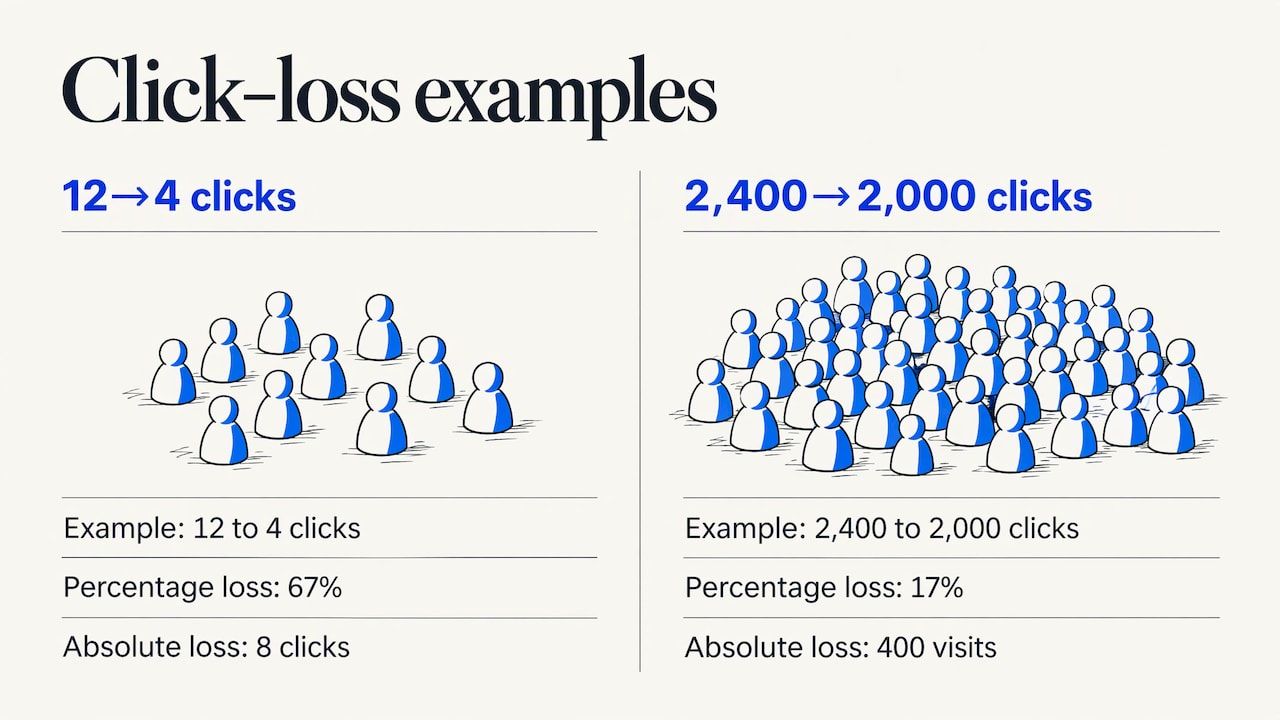
Why absolute loss and not percentage? A page that fell from 12 clicks to 4 shows a 67% drop and a loss that does not matter. A page that fell from 2,400 to 2,000 shows 17% and costs you 400 visits. Percentages are useful to spot the pattern; absolute loss tells you where to spend time.
Step 3: Read the metric pattern
The combination of metrics points to a cause. This reading is our analysis, to be confirmed page by page:
- Clicks down, impressions flat, position flat: CTR problem. Look at the title, the snippet and what now sits above you in the results.
- Clicks down, impressions down, position down: the page is losing ground to competitors or to intent drift.
- Clicks down, impressions down, position flat: demand fell. Check seasonality and the topic’s overall interest.
- Clicks down, impressions up, position down: the page is ranking for more queries but lower. It may have become too broad.
Also look at query-and-page pairs, device and country. A decline that sits entirely in one country or on mobile is rarely decay.
Step 4: Rule out the look-alikes
Before calling a page decayed, run four checks:
- Seasonality. Compare against last year, and use Google Trends to see whether search interest itself fell. Search Engine Land suggests Google Trends for this check , along with comparing related pages.
- Indexing and canonicals. Confirm the page is indexed and that its canonical tag points where you expect. Pages that rely on client-side rendering are a frequent culprit; our JavaScript SEO guide explains how to check.
- Redirects and links. Broken redirects can stop link equity flowing between interlinked pages. If you have restructured recently, see our redirect plan guide .
- Your own edits. Annotate page changes on your traffic graph. A decline with no preceding change is the classic decay signal. A decline right after an edit may be damage from what you altered or removed, as Ahrefs notes .
A useful habit: keep a change log with the date, URL and what changed. Without it, you cannot separate decay from your own mistakes.
Step 5: Decide what counts as meaningful
There is no universal threshold. A defensible rule combines magnitude, duration and context: the decline persists across comparable periods, exceeds the normal variance for that type of page, and is not explained by seasonality, campaigns, search results changes, migrations or measurement gaps. The same logic appears in Norveliq’s monitoring write-up, which also calls the exact cutoff a judgment call.
Our analysis: pick a rule you can explain to a finance director in one sentence, write it down, and apply it consistently. For example: “A page is flagged if it has lost clicks in two consecutive comparisons and the loss exceeds the page type’s normal range.” The rule matters less than applying it the same way every quarter.
Step 6: Look at clusters, not only pages
If several pages on one topic fall together, the problem is probably structural: the topic’s search results changed, a competitor built a stronger cluster, or your internal linking weakened. Updating one page will not fix that. Treat the cluster as one unit and review how its pages link to each other; our internal linking guide is the place to start.
A worked example
The figures below are illustrative, not real client data. They show how the sort-by-absolute-loss rule changes priorities.
| Page (illustrative) | Clicks, prior 90 days | Clicks, recent 90 days | Change | Position change | Qualified enquiries, recent 90 days |
|---|---|---|---|---|---|
| /guides/vendor-onboarding-checklist | 1,900 | 1,350 | -550 (-29%) | 4.1 to 6.8 | 9 |
| /blog/annual-planning-template | 3,200 | 2,500 | -700 (-22%) | 3.0 to 3.1 | 1 |
| /blog/old-product-announcement | 60 | 18 | -42 (-70%) | 8.5 to 14.0 | 0 |
| /solutions/compliance-reporting | 800 | 720 | -80 (-10%) | 2.2 to 2.6 | 14 |
How we would read it:
- The onboarding checklist is the first candidate. It lost a large number of clicks, its position slipped by almost three places, and it still produces enquiries. Update it.
- The annual planning template lost the most clicks, but the position barely moved. That pattern fits seasonality or falling demand. Check last year’s same window and Google Trends before touching it.
- The old announcement shows the biggest percentage drop and matters least. If it has no backlinks and no purpose, retire it or redirect it to a relevant page.
- The compliance page lost little and converts best. Leave it, or make a light accuracy check at the next review.
The lesson is simple: the percentage column nominates the wrong pages, and the enquiries column reorders the list again.
Deciding what to do with each page
Prioritize by business relevance, evidence of a problem and effort. That is the logic behind Search Engine Land’s prioritization guidance, which suggests updating outdated or incomplete pages, consolidating pages that answer the same questions for the same audience, removing obsolete content that has no continuing customer purpose, and leaving accurate pages that serve their purpose alone.
Here is the decision matrix we use as a starting point. It is our analysis and a template, not a rule:
| Situation | Action | Watch out for |
|---|---|---|
| Accurate page, intent met, qualified enquiries | Leave alone | Do not edit for the sake of a fresh date |
| Outdated or incomplete, ranking potential, business value | Update | Keep the URL, keep what already ranks |
| Two or more pages cannibalize each other | Consolidate: pick the stronger URL, merge the best material, redirect the weaker | Carry over the sections that earned the links and queries |
| Retired product or topic, relevant replacement exists | Redirect to that replacement | Redirecting to an unrelated page is a soft dead end |
| Good content with fading visibility | Repromote: internal links, newsletter, sales enablement | Promotion cannot rescue an outdated page |
| No traffic, no links, low quality, no consolidation target | Remove | Keep a copy if legal or compliance rules require it |
The prerequisite for removal is worth stating plainly: check for backlinks and for any legal reason to retain the material. Contentful’s lifecycle guidance notes that very outdated, inaccurate content with no SEO value may need removal, and that a copy may be kept for legal reasons.
For the update-versus-merge-versus-replace call in more depth, we cover it in our content refresh guide.
A caution on fake freshness
Changing a date without changing the content is a trap. Google’s documentation updates record that it added guidance on removing content or changing dates to its help page on helpful, people-first content. Our reading: update dates only when the page has materially changed, and show the date honestly. Readers evaluating a vendor notice a 2026 date on a page that still describes 2022 features.
Updating without breaking what works
When you update, protect the parts that already earn traffic. Before editing, record the queries the page ranks for, the sections that answer them and the pages that link to it. Then:
- Fix what is wrong or old first: facts, figures, screenshots, product names, links.
- Add what is missing against the current top results and your own sales conversations, not against a word count.
- Improve the opening so it answers the query directly.
- Check internal links in and out.
- Log the change and set a review date about 90 days later.
Measuring whether it worked
Keep AI mentions, citations, clicks, visits, enquiries and revenue separate. They are different events and they move for different reasons. A refreshed page might gain citations in AI answers without gaining clicks, or gain clicks without gaining enquiries.
A reasonable measurement set per refreshed page:
- Search visibility: impressions, average position and clicks for the page’s main queries, compared with the 90 days before the change.
- Behavior and outcome: conversions or enquiries attributed to the page, where you track them.
- Context: the change log entry, any seasonality, and what happened to related pages.
Do not judge in the first two weeks. Search results need time to reflect changes, and a 90-day review window gives you a comparable period. If the page recovers, note what you did. If it does not, check whether the cause was intent drift rather than staleness. No update can guarantee recovery, and any agency that promises rankings is selling something it cannot control.
For tracking methodology at the keyword level, see our rank tracking method.
Preventing decay: a maintenance routine
Decay is cheaper to prevent than to reverse, because small, regular edits cost less than rewrites. Contentful makes the same point: smaller periodic updates keep older content accurate and visible, and updating existing content is generally easier than building from scratch.
The routine has four parts.
1. A named owner for every asset. A page nobody owns is a page nobody updates. Put the owner in your content inventory.
2. Review cadence by content type. Siteimprove’s guidance suggests checking high-traffic commercial pages monthly, evergreen content quarterly and campaign content when the campaign closes. That is a sensible default for B2B libraries.
3. Triggers, not only calendars. Product releases, pricing changes, regulation changes and rebrands should each create review tasks for the pages that mention them. One example of a system built around this idea: a foundation layer holds authoritative facts and dependent pages reference it, so one change can flag many pages for review. Whatever tooling you use, the principle is to store each fact once.
4. A steady publishing rhythm. Maintenance competes with new production for the same hours. Reserve a fixed share of capacity for it. Our piece on why a steady publishing schedule beats perfection covers how to protect that time.
What changes for ecommerce
Category pages, product pages and buying guides decay differently from blog posts. Stock, pricing, specifications and discontinued models are the main causes, so triggers tied to catalog changes matter more than a calendar. Discontinued products should usually redirect to the closest relevant category or successor rather than disappear. See our ecommerce SEO page for how we approach these sites.
What changes for multi-site and multilingual organizations
If you run several brands, sites or languages, decay multiplies. A product change must reach every language version, and each market may decay at its own pace. Keep one inventory with a site and language column, and run the comparison per market, not on pooled data. Our multilingual SEO guide covers the technical side.
Our perspective
Most advice on content decay ends with “refresh your old posts”. We think that is the weakest part of the job. The hard part is deciding which pages deserve a refresh, and that is a business judgment before it is an SEO one. Our view, as an analysis rather than a measured result: a decay program fails in three predictable ways. It sorts by percentage loss and spends weeks on pages nobody needs. It treats every decline as staleness and misses the technical fault or the intent shift behind it. Or it produces a one-off audit that nobody maintains. That is why we treat existing content as part of one system with strategy, production and measurement. Our optimization work on existing content starts from the page’s commercial role and the evidence in its data, then chooses between updating, merging, redirecting and leaving alone. A page that satisfies its readers and brings qualified enquiries is not a task. We also think decay review belongs in the same loop as GEO. A page that is accurate, clearly structured and current is a better candidate for being cited in AI answers, though no one can promise citations. Louis Choquet
Handing the work to a team
If your library is large, spans several sites or languages, or your team has no spare hours for maintenance, this is work Pharelia takes on as part of its tailored SEO/GEO service: existing content optimization, connected to measurement and performance tracking. Scope, deliverables and budget are set in a proposal after an initial scoping conversation, and pricing is available on request.
FAQ
How long does content decay take to show up?
It depends on the topic and the competition, so there is no fixed timeline. It typically appears as a trend over several months or longer, not a sudden fall. That is why we compare matching 90-day windows and require the decline to persist across comparable periods before acting.
Is content decay the same as a Google penalty?
No. Decay is a gradual loss, usually over months or years, and is not caused by a penalty or a single major update, as the Ahrefs definition puts it. A penalty or update hit tends to appear as a sharp drop around a specific date. If you see one, start with the technical and update checks above.
Should I update or delete a decaying page?
Update when the page is outdated or incomplete but still has a business role and ranking potential. Remove it only when it has no traffic, no backlinks, low quality and no sensible page to merge into. In between, consolidate or redirect. Leave accurate pages that still satisfy readers alone.
How often should I run a content decay analysis?
Match the cadence to the content. A common pattern is monthly for high-traffic commercial pages, quarterly for evergreen content, and at close for campaign content. Product launches and pricing changes should trigger reviews outside that calendar.
Can I fix decay by changing the publish date?
No. Changing a date without changing the content gives readers a false signal, and Google’s documentation has addressed changing dates in its helpful content guidance. Update the substance first, then let the date reflect it.
Sources
- Content Decay: What It Is & How to Reverse Traffic Drops, Search Engine Land
- What Is Content Decay? (And How to Fix It), Ahrefs
- Performance report: advanced filtering and comparison, Google Search Console Help
- Latest Google Search documentation updates, Google Search Central
- How to Build a Content Decay Monitoring System for SEO, Norveliq
- How to prioritize SEO content updates and new opportunities, Search Engine Land
- Optimizing the content lifecycle, Contentful
- Updating and optimizing existing content, Siteimprove
- Keep Knowledge Base Updated: The Anti-Staleness System, MatrixFlows